

- Home
- Features
- Poker Session
- Session History
Session History - Your Complete Session History & Results
Every session you’ve played, automatically saved in one place. Selection Poker builds your complete poker session history after every MTT grind — so you can track tournament results, measure your progress, and analyze your poker performance across any date range.
Your Complete Poker Session History. All in One Place.
Full Session Log
Performance Metrics at a Glance
Tournament-Level Breakdown
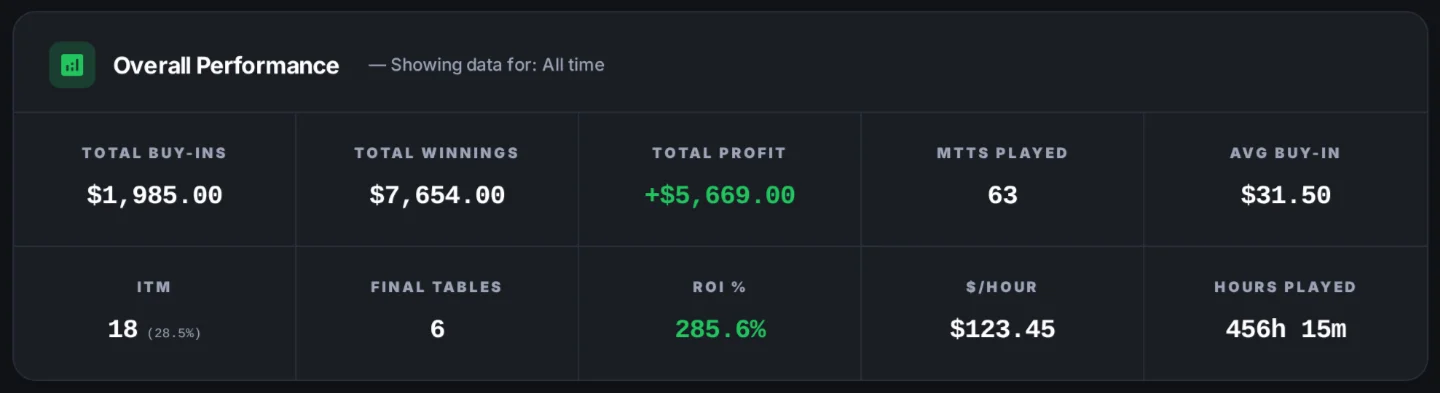
Your Overall Performance Box
Get a full overview of your entire session in real time. All key stats are calculated automatically. You also get detailed session insights like number of active tables, number of cashes, final tables reached and re-entries count.
Total Buy-ins
Total Winnings
Total Profit / loss
Number of MTTs played
Average Buy-in
Final Tables
ROI (%)
Hourly Rate ($/hour)
99%
Session Details
Every row in your poker session history is a complete session record. Click Details on any session to see your full tournament results — broken down MTT by MTT, with individual placements, re-entries, cash amounts, and winnings all in one view.
Performance Summary
Tournament Breakdown
Questions about Session History
What is Session History?
Session History is a log of all your completed poker sessions. It shows you a full performance summary - total buy-ins, winnings, profit, ROI, ITM rate, $/hour, and hours played - along with a filterable list of individual sessions you can explore in detail.
Can I view results for individual tournaments within a session?
Yes. Click the Details button on any session to open a tournament-by-tournament breakdown. You'll see each tournament's buy-in, result, placement, re-entries, and any other recorded data.
Can I filter my session history by date?
Yes. Use the Date Range filter at the top of the page to narrow your session list and performance summary to a specific period - such as the last 7 days, last 30 days, or a fully custom range.
Does the overall performance summary reflect my filters?
Yes. The performance summary at the top of the page - including total profit, ROI, In-the-money % (ITM), and $/hour - always reflects the sessions within your currently selected date range.
How is ROI% calculated?
ROI is calculated as (Total Winnings − Total Buy-ins) ÷ Total Buy-ins × 100. It reflects your overall return on investment across all sessions in the selected period.
How is $ / hour calculated?
$/hour is your total profit divided by your total hours played across all sessions in the selected period. It gives you a consistent way to measure your earning rate regardless of session length or buy-in level.